The time clock your team will actually use.
An iPad hangs in the shop, your iPhone is in your pocket. Employees tap their tile, enter their PIN and clock in, take a break or clock out. You see right away who is there, who needs a break and what the month costs.
Two apps: Shiftpin for the iPhone and Shiftpin Terminal for the iPad · No Shiftpin accounts, just your Apple ID · Your data stays in your iCloud
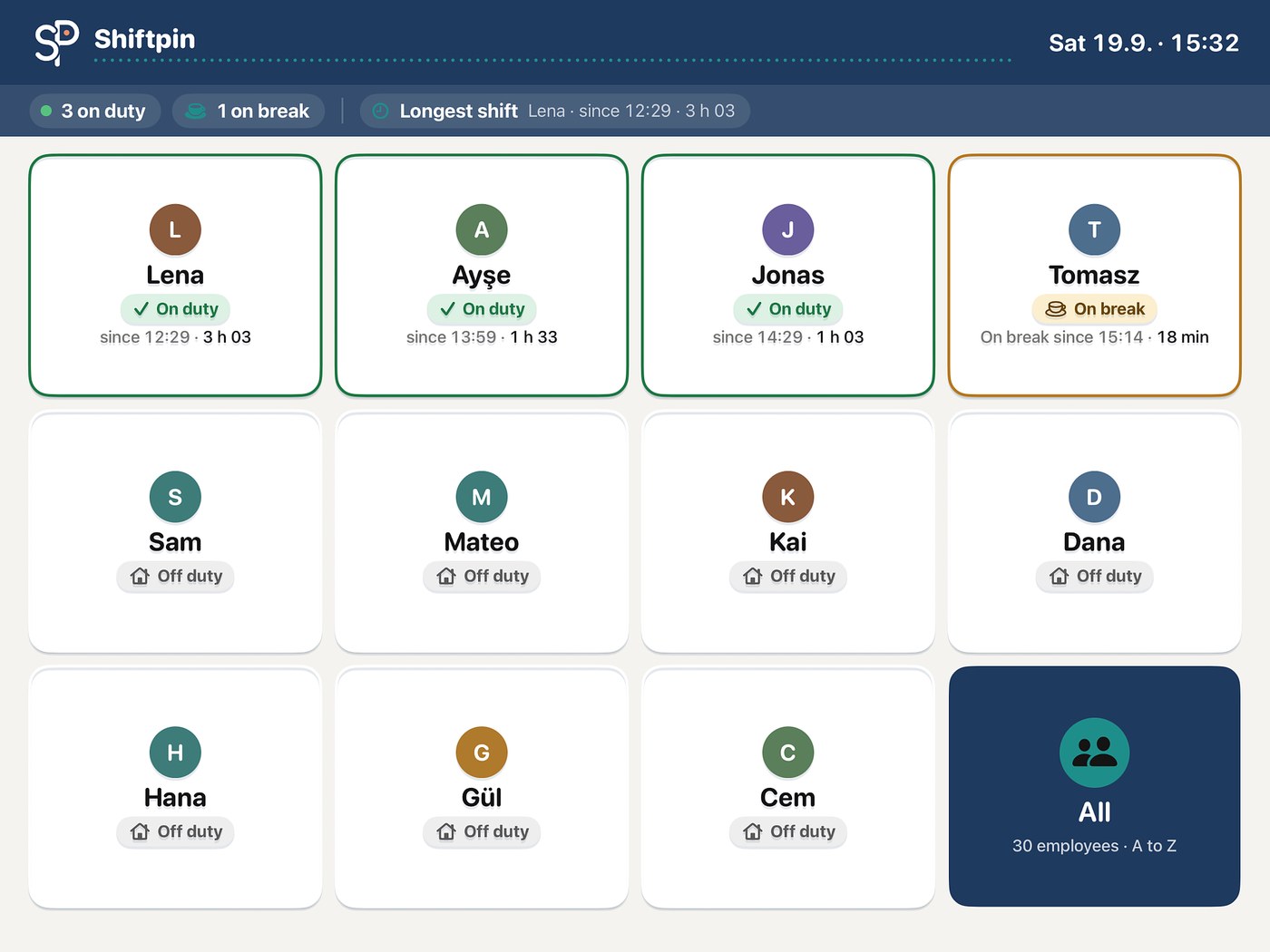
How a shift works
Three taps, no training.
No login, no card, no paper. The terminal only ever shows the action that fits right now.
Tap your tile
Whoever works today is at the top. Everyone else is under “All”, alphabetically.
Enter your PIN
Four digits only that person knows. After three wrong attempts the tile locks briefly.
Clock in, break or clock out
One big button, done. With a signature on the screen if you want.
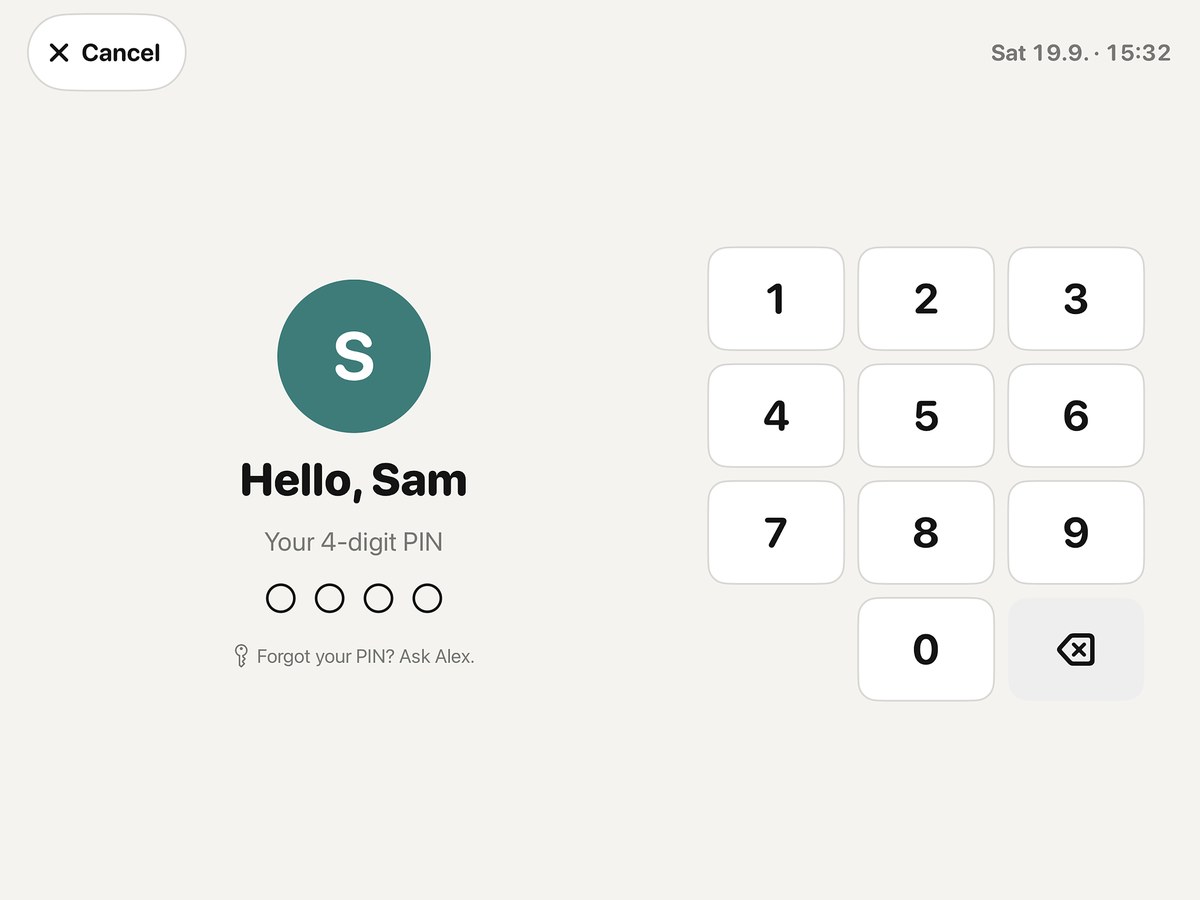
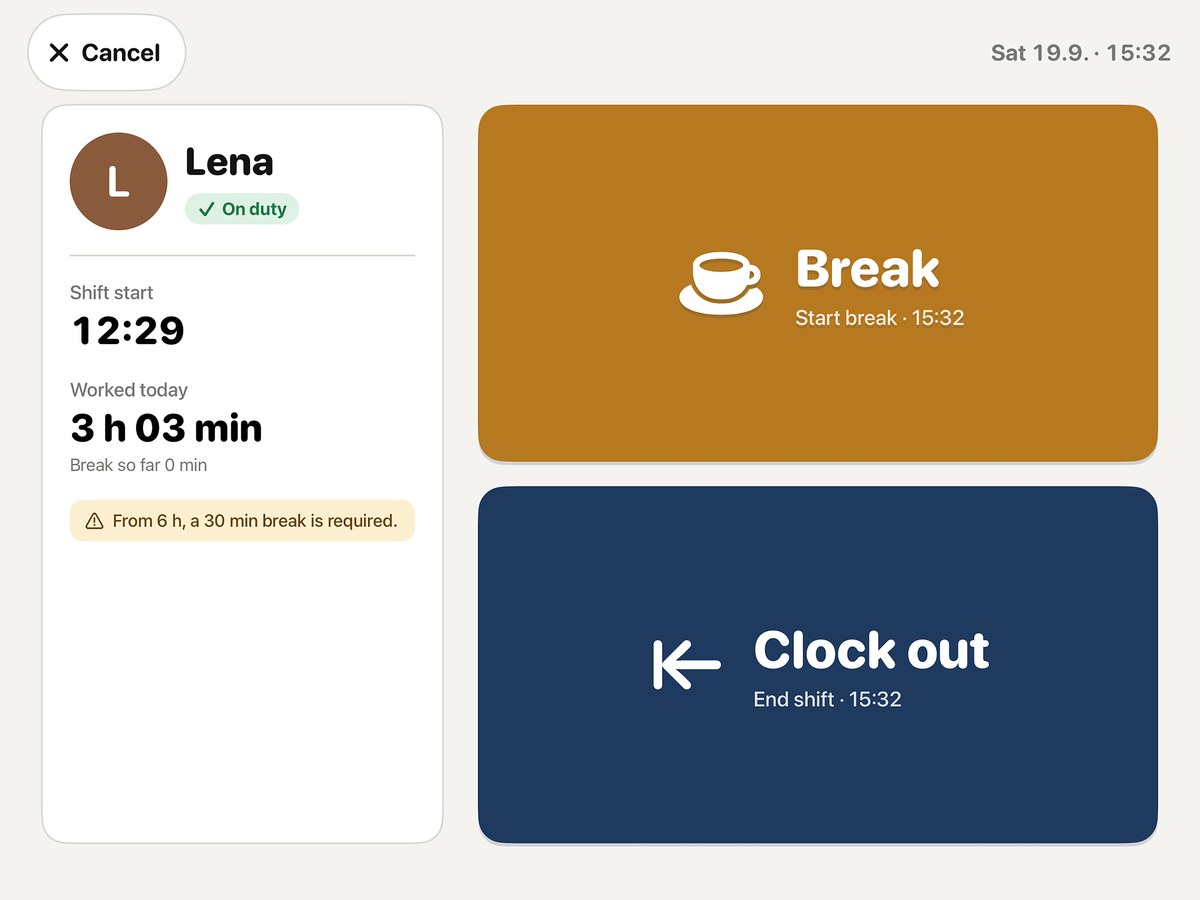
Watch: how your team clocks in
All videos and the guide as PDFThe iPhone app for you
You don't have to be in the shop to know what's going on in the shop.
Every entry reaches your iPhone via iCloud, usually within a few seconds. The app does the math and tells you when something is missing.
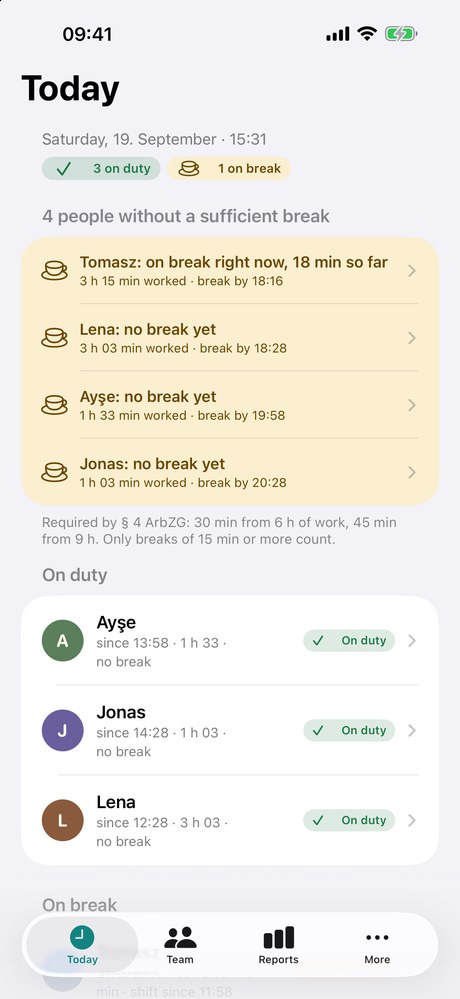
Today
Who is there, who is on break, who has worked six hours without a break. The app takes the German break rules (§ 4 ArbZG) into account.
Reports
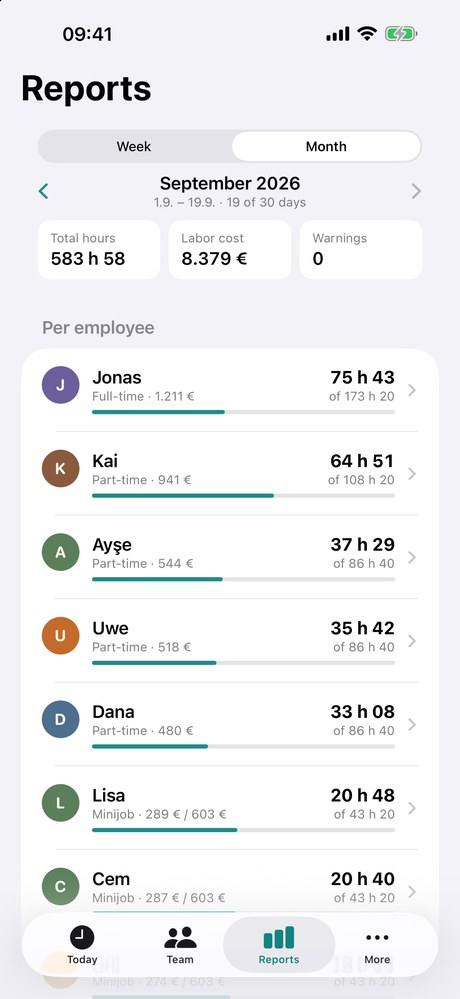
Hours and labor cost per week or month, per person with a target bar. For German Minijobs you see the earnings limit before it is exceeded.
Team
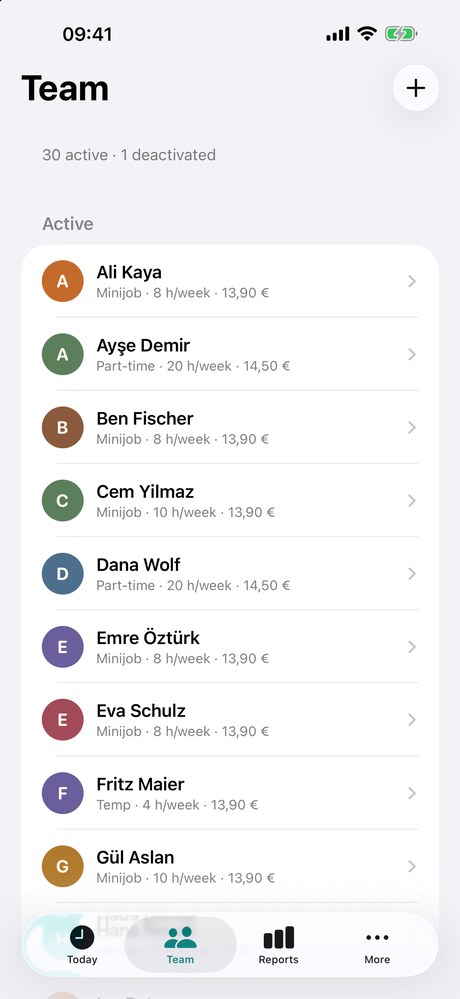
Employment type, weekly hours, hourly wage, PIN and location. New people are added quickly and appear on the terminal right away.
What Shiftpin takes care of
Built for everyday life behind the counter.
Keeps working without internet
If the Wi-Fi goes down, the terminal keeps recording and sends everything once the network is back.
Breaks according to the Working Hours Act
30 minutes from six hours, 45 from nine. The terminal reminds, the app warns you before it gets expensive.
Corrections with a log
Forgot to clock in? You add or change the time, with a reason and a name. Every change stays traceable.
Export for payroll
Send the month as CSV, PDF or DATEV file (beta) to your tax advisor, right from the app. With hours, breaks and labor cost per person.
Several locations
Each terminal shows its team plus floaters. On the iPhone you see all locations or filter by one.
Notifications
A break that is due, a forgotten clock-out after closing time. Your iPhone tells you, you don't have to check.
No accounts, no cloud of ours
The data lives on your devices and in your iCloud. We run no server and see none of it.
Sharing with partners
Business partners get full access, terminals only the time clock. Everyone works with their own Apple ID.
Appearance
Your logo. Your colors. On every terminal.
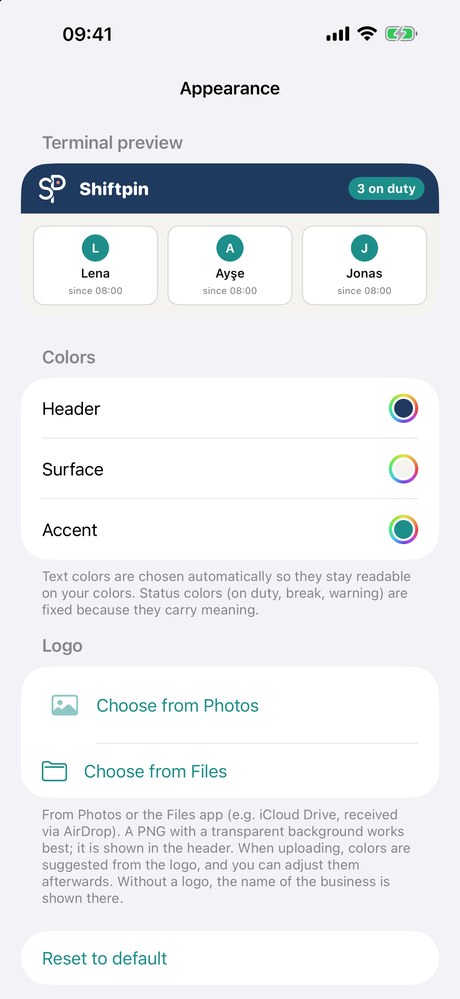
Upload your logo, Shiftpin suggests matching colors, and all terminals and iPhones take on the look. The time clock looks like it belongs to the shop. Because it does.
Text colors are chosen automatically to stay readable. Status colors for “On duty” and “Break” stay, so everyone knows them.
Two apps, one subscription
One app for you, one for the shop.
Shiftpin consists of two apps that you both download from the App Store. You start the subscription once on the iPhone, and it then covers all iPads in the business.

Shiftpin
Your control center: create the business, add employees with a PIN, see who is there, correct times, report and export. This is also where you start the 14-day trial.

Shiftpin Terminal
The time clock: your team taps their own tile, enters the PIN and clocks in or out. You invite the iPad from the iPhone app; it needs no account of its own.
Shiftpin on the iPhone
Create the business and add the first employees with a PIN.
Shiftpin Terminal on the iPad
Install it and set it up in the shop. Until it is invited, it shows a demo.
Invite the iPad
In the iPhone app go to More, Sharing and invite with “Terminal only”. The invitation goes to the Apple ID (the iCloud account) the iPad is signed in with. Open the link on the iPad and the tiles appear on their own.
Important: you invite the iPad’s iCloud account
The iPad must be signed in to iCloud. When inviting, enter the email address or phone number of that Apple ID, the link only opens with it. We recommend a separate Apple ID for the shop. If the iPad is signed in with your own Apple ID, you need no invitation, the data arrives on its own.
The difference
What Shiftpin does differently.
Many time trackers
Shiftpin
Many time trackersAn account with the provider, your data on their servers.
ShiftpinNo account. The data lives in your iCloud, we see none of it.
Many time trackersPriced per head: every temp costs extra.
ShiftpinA fixed price per business: €25 for up to 8 people, €49 for any number.
Many time trackersOften generic software: German labor law is up to you.
ShiftpinBreaks under the German Working Hours Act, maximum working time, rest periods and the mini-job limit are built in.
Many time trackersNo internet, no clocking in.
ShiftpinThe iPad keeps clocking without Wi-Fi and syncs later.
Many time trackersPayroll export often costs extra.
ShiftpinCSV, PDF and DATEV (beta) are included in the price.
Price
Two plans. Everything included. Per business, not per head.
Small teams begin with Start, everyone else takes Pro. Both plans include every feature; they differ only in the number of employees and locations. You try it free for 14 days and cancel anytime in the App Store settings.
Price calculator: from how many employees does it pay off? (German)You download both apps from the App Store. You start the trial and the subscription in the iPhone app, and it covers all iPads too. Everyone who hasn't left counts as active. Clocking in always works, even when the Start limit is reached.
Prices incl. VAT. Billed through Apple. After the trial the subscription renews automatically; cancel anytime.
What's missing?
Tell us what Shiftpin should still be able to do.
Shiftpin is built with businesses, not at a desk. Every submission lands in our list and is read, assessed and, if it fits, built.
Frequently asked questions
Do I really need two apps?
Yes. “Shiftpin” runs on your iPhone and is the management app. “Shiftpin Terminal” runs on the iPad in the shop and is the time clock. Both are free on the App Store; you only pay for the subscription in the iPhone app.
Which devices do I need?
An iPad in the shop as the terminal and an iPhone for you. It doesn't have to be new: any iPad from 2019 onwards with iPadOS 18 will do, even a used one. For the iPhone, an iPhone XR, an SE from the 2nd generation or newer is enough. No other device, no punch cards.
How does the iPad get the data?
Through iCloud sharing. In the iPhone app you invite the iCloud account the iPad is signed in with and open the link on the iPad. With “Terminal only” that account can clock in and out but cannot see wages or reports. The guide explains it step by step.
How many employees and devices are possible?
With Start up to 8 active employees in one location; with Pro there is no fixed limit. Shiftpin is tested with 100 employees and three years of entries. For devices, iCloud sets the limit: a share can invite at most 100 Apple IDs. So sign in all terminal iPads with the same Apple ID of the business. Then you invite only once, and every additional iPad gets the data automatically.
Does every employee have to create an account?
No. Employees get a four-digit PIN, nothing else. There are no Shiftpin accounts. You yourself only use your Apple ID.
Where is the data stored?
In the iCloud of the Apple account you use Shiftpin with, and on your devices. We run no server and have no access.
What if someone forgets to clock in or out?
Your iPhone reports a forgotten clock-out after closing time. You add the time later, with a reason. The change is in the log.
Does my tax advisor get the times?
Yes, per month as CSV, as PDF timesheets and as a DATEV import file for LODAS or Lohn und Gehalt. The DATEV export is still in beta: please have your payroll office check the first file. The files are in German.
Does this meet the obligation to record working time?
You already have to record working time today: since a 2022 ruling by Germany’s Federal Labour Court this applies to every business. It is also planned that recording must be electronic and happen on the same day; the draft law of June 2026 has not been passed yet. Shiftpin records start, end, duration and breaks electronically at the moment of clocking, logs every change, keeps everything and gives each employee their times as a PDF. This is not legal advice, please clarify details with your tax advisor or lawyer.